Real DWG & DXF
Open, edit and save native DWG/DXF drawings, including layouts, viewports, blocks, layers and linetypes — no conversion step.
v0.136 · Windows x64
VectorCAD is a fast, independent CAD editor for Windows. Open real DWG and DXF drawings, draft in 2D, model 3D solids, automate with LISP and plot vector PDFs — all offline, on your machine.
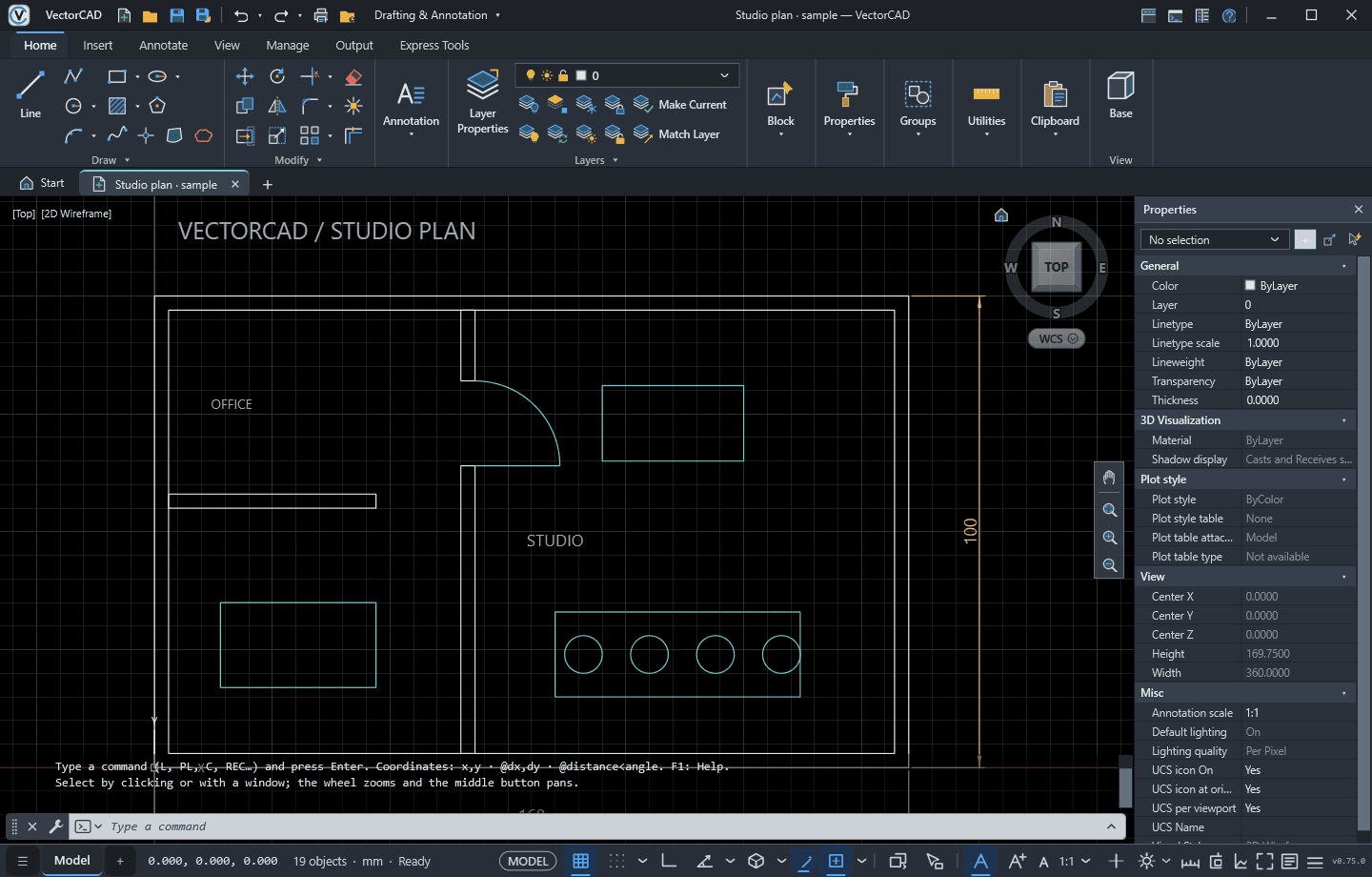
A focused 2D and 3D toolset that respects the way CAD professionals already work.
Open, edit and save native DWG/DXF drawings, including layouts, viewports, blocks, layers and linetypes — no conversion step.
Seven ribbon tabs, classic menus, command line with aliases, dynamic input and 14 object-snap modes. Your muscle memory just works.
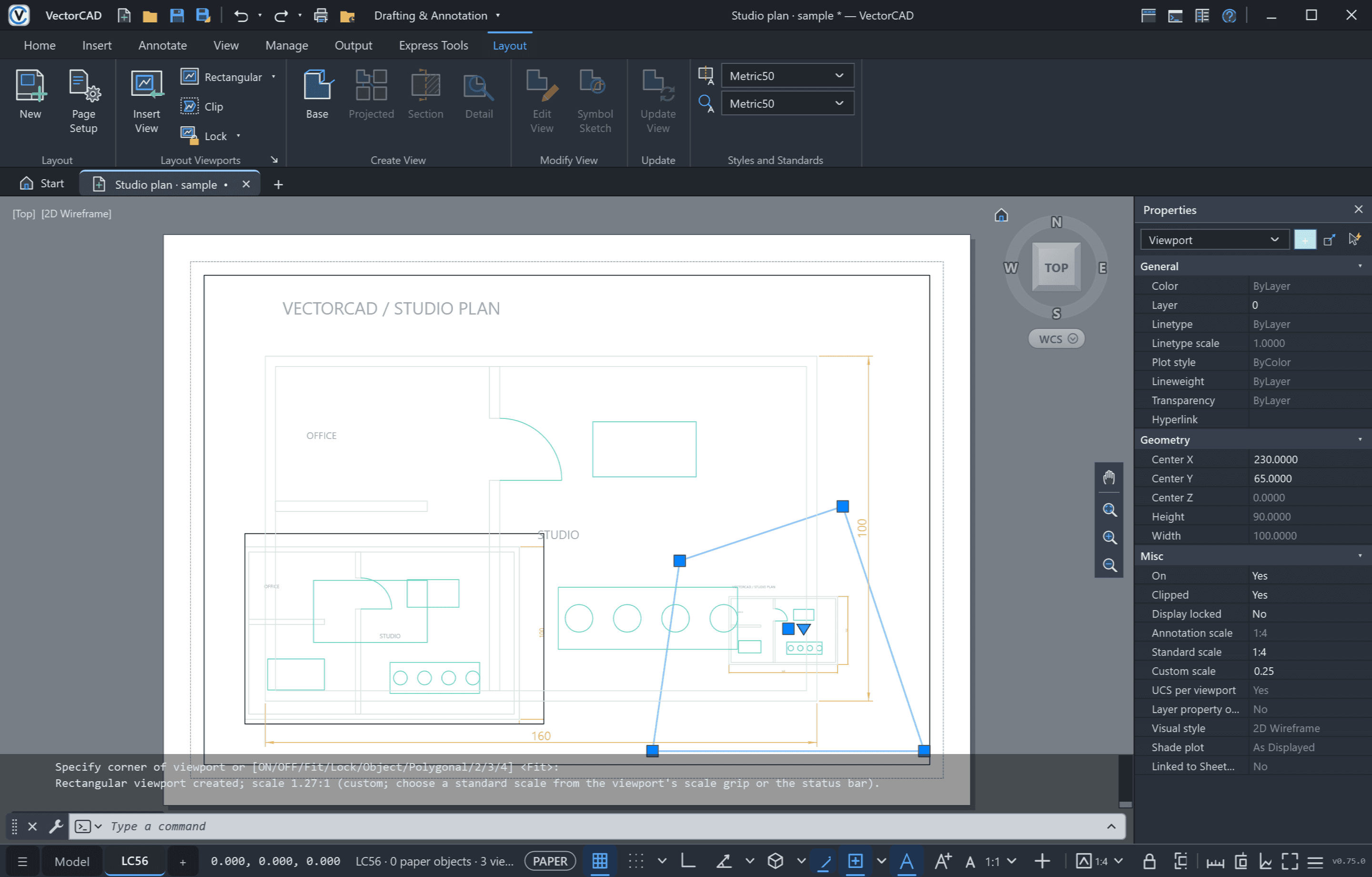
Paper space layouts with rectangular and polygonal viewports — scale, rotate, lock, and per-viewport layer freeze kept in the DWG.
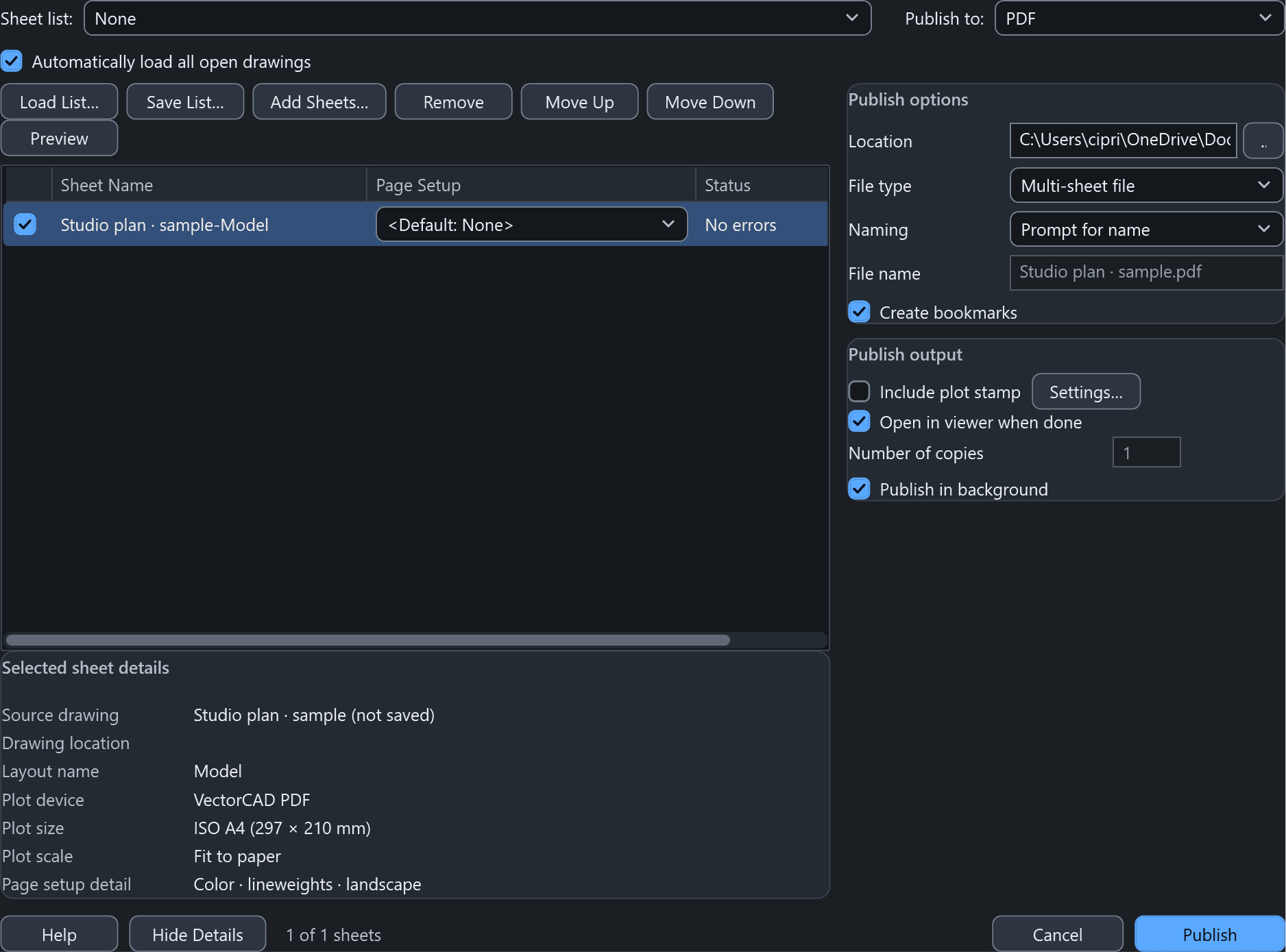
Page setups, plot preview and Publish to multi-sheet PDF. Output stays crisp vector geometry and searchable text, fully offline.
Run your AutoLISP-style routines: LAMBDA, MAPCAR, ENTMOD, selection sets, DCL dialogs and APPLOAD. Reuse the scripts you already have.
BOX, CYLINDER, EXTRUDE, REVOLVE and UNION / SUBTRACT / INTERSECT, plus ACIS solids read from DWG. Orbit in Shaded or Realistic styles on a Direct3D 11 viewport.
Hardware-accelerated Direct3D canvas, Light and Dark themes, autosave and backups. No account, no telemetry, no cloud required.
Paper space
Create rectangular or polygonal viewports, pick a standard scale from the grip or status bar, lock the display and freeze layers per viewport. Everything is stored natively in DWG/DXF so colleagues see exactly what you see.
Output
Page setups, plot preview and multi-sheet Publish with bookmarks. Lines stay lines and text stays text — ready to send to a client or a print shop.
3D
Solids, meshes and booleans, ACIS solids from existing DWGs, and visual styles from 2D Wireframe to Realistic. The Direct3D 11 viewport batches geometry on the GPU, so even multi-thousand-object plants orbit smoothly.
All features →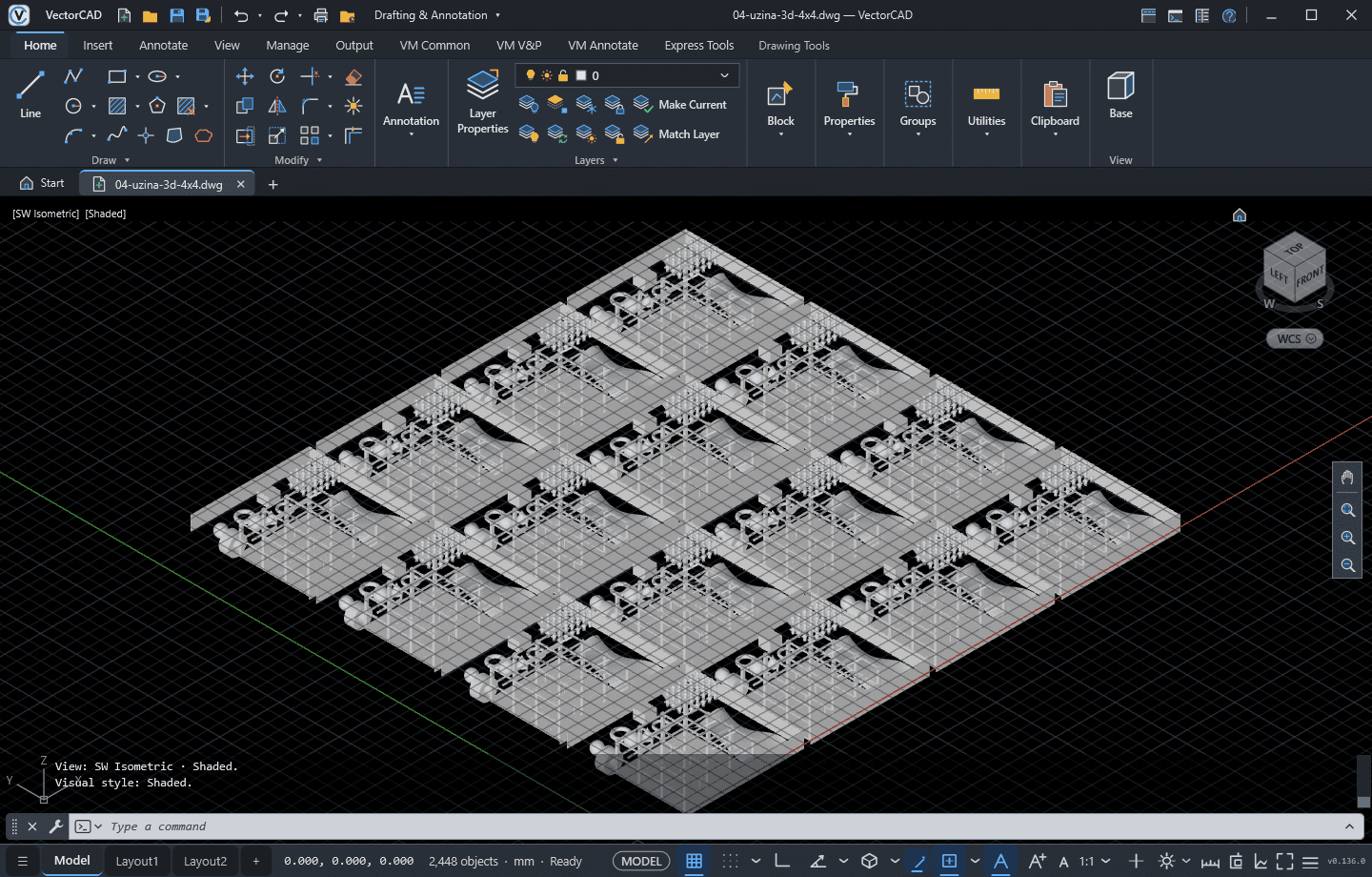
Included module
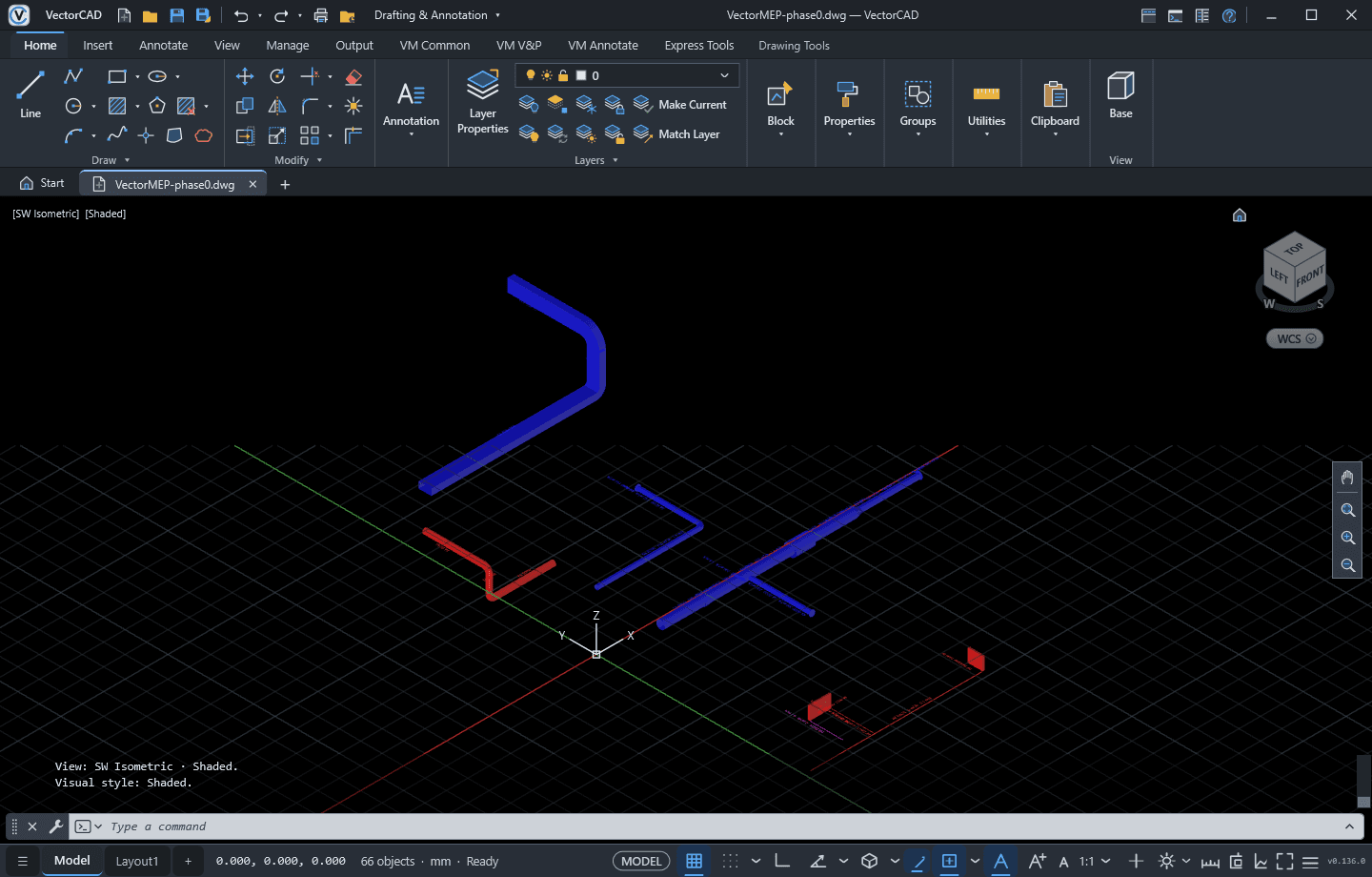
Route ducts and pipes with automatic fittings, place terminals and equipment, calculate pressure drops and size the network, then check clashes, list materials and export IFC4. Every VectorCAD plan includes it.
Automation
VectorCAD runs AutoLISP-style code: lists, strings, geometry helpers, LAMBDA / MAPCAR / APPLY, entity access with ENTGET / ENTMOD / ENTDEL, selection sets, DCL dialogs and APPLOAD with MNL files. Undo and redo cover every change a script makes.
; Draw a row of circles along X
(defun c:ROWCIRCLES (/ n r i)
  (setq n (getint "\nCount: ")
        r (getreal "\nRadius: ")
        i 0)
  (while (< i n)
    (command "_.CIRCLE"
             (list (* i 3 r) 0) r)
    (setq i (1+ i)))
(princ))We’d rather you know exactly what you are buying.
Not sure your drawings will work? Email us a sample file before buying and we’ll check it.
Prices in EUR. VAT is calculated at checkout where applicable.
Secure payment by Stripe · Card, Apple Pay, Google Pay · Invoices with VAT ID
VectorCAD reads and writes real DWG/DXF files and covers 2D drafting plus mesh-based 3D solids. It does not run ARX or .NET plug-ins made for AutoCAD, and not every AutoCAD command is implemented. Check the compatibility list on this page — or email us a sample drawing — before you buy.
No. The VectorMEP building-services module (ductwork, piping, calculation, clash detection, IFC export) is included in every plan and updated together with VectorCAD.
Right after checkout you see your license key and the installer download link. Keep the key — you enter it in VectorCAD the first time you start it.
Yes. Use “Manage billing” on your purchase page (or the link in your Stripe receipt) to cancel, change card or download invoices. You keep access until the end of the paid period.
The version you have keeps working forever. Updates released within 12 months of purchase are included; after that you can keep using what you have or buy an upgrade.
Yes. Checkout collects your company name and VAT ID, and Stripe issues an invoice for every payment.
64-bit Windows, a DirectX 11-capable graphics card and about 200 MB of disk space. The .NET runtime is bundled, and no internet connection is needed to work.